SCOUT Online: Preferences
The Settings page is shown in Figure 1.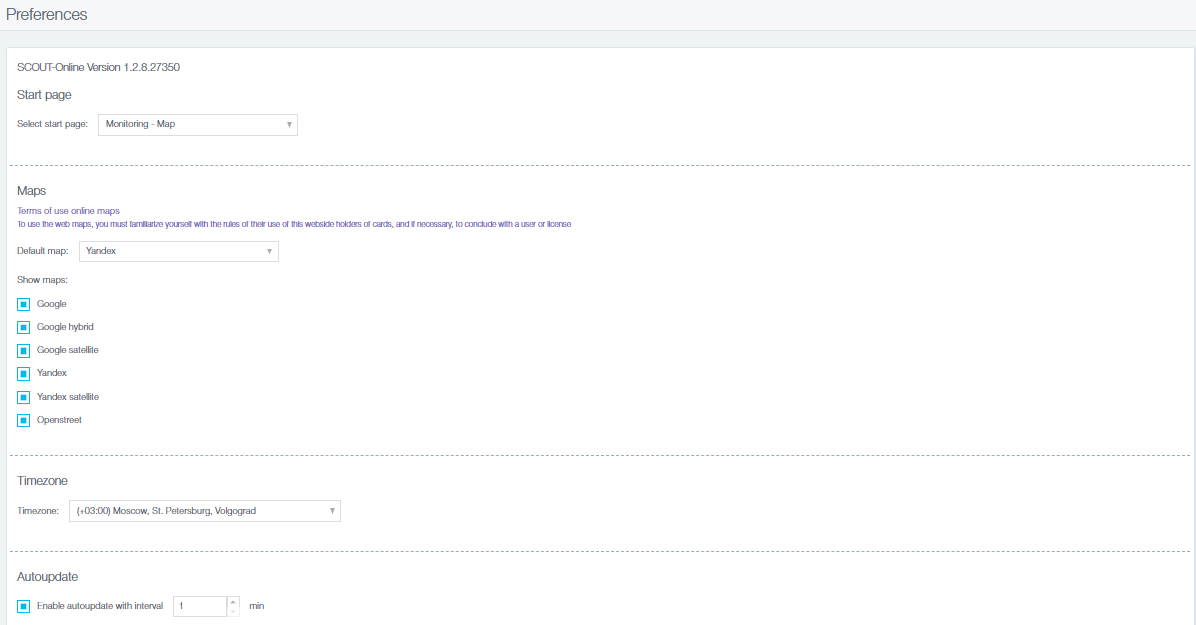
Figure 1 - Settings page
The page includes:
- a drop-down list with options to be displayed on the start page. Available options are shown in Figure 2. Objects module is displayed on the start page by default;
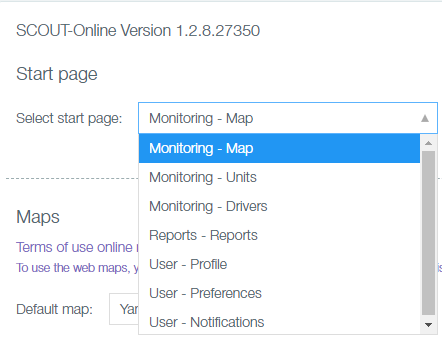
Figure 2 - Options to be displayed on the start page
- a list of maps which can be used in the monitoring module (Figure 3);
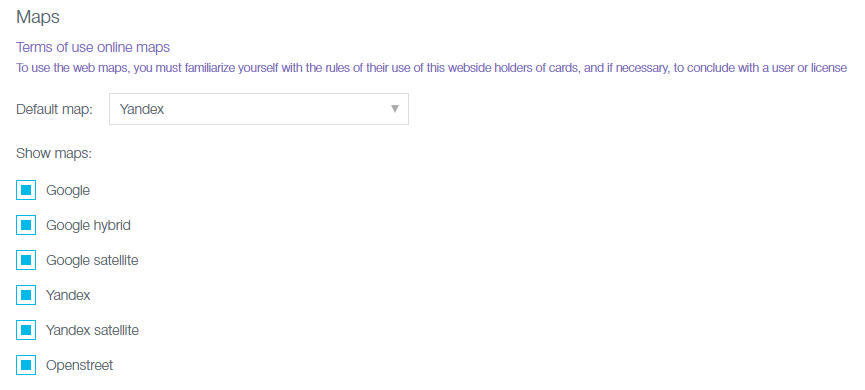
Figure 3 - List of maps
- a drop-down list of time zones (Figure 4). The time of current data and the time of the tracks is updated according to the time zone selected here;
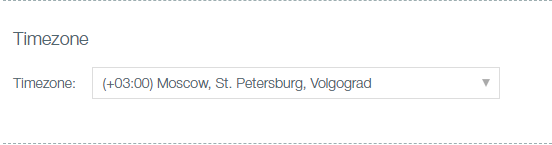
Figure 4 - Time Zone Selection
- Auto-update current data option (Figure 5) - when selected, it enables to adjust the frequency of updating data on all pages and tabs SCOUT Online.
Figure 5 - Option “Auto-update current data”
In order to update references, click Save button at the bottom of the page (Figure 6).
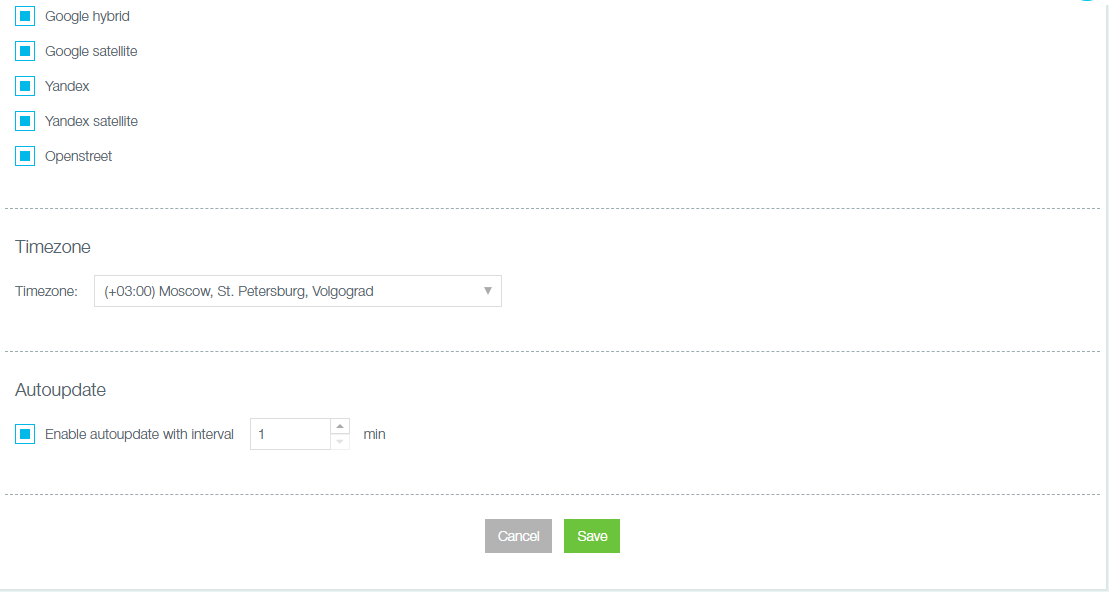
Figure 6 - Saving settings
Author: Анисимов Максим Михайлович - Mon, Dec 30, 2019. This article has been viewed 1809 times.
Online URL: https://kb.skai.online/article/scout-online-preferences-3301.html
Powered by PHPKB (Knowledge Base Software)