SCOUT Online: Search
The SCOUT Online interface enables the users to search for information throughout the whole system. Search is carried out through the corresponding field at the top of the screen (Figure 1).
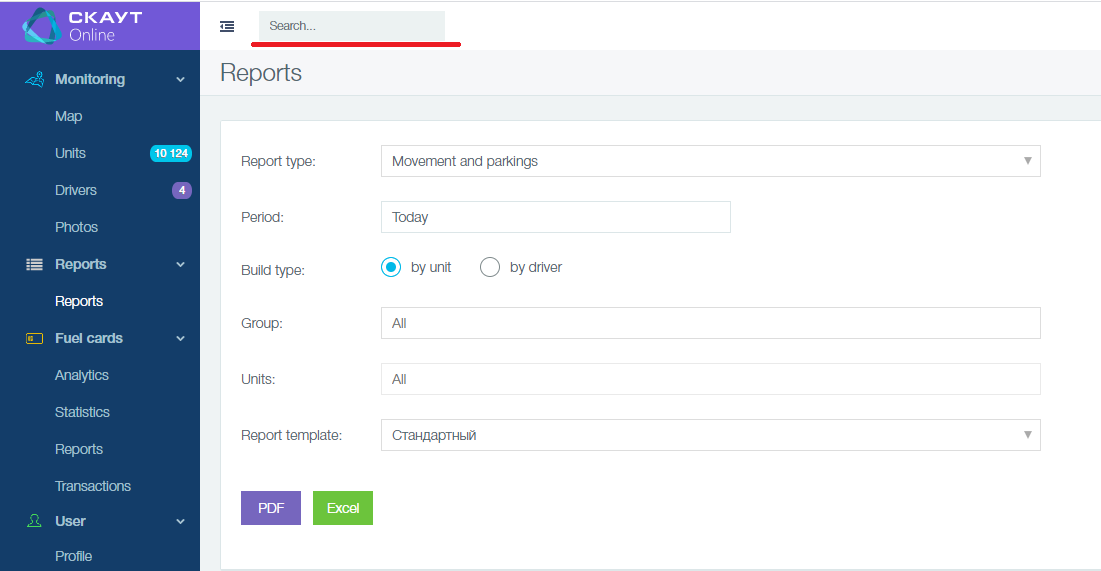
Figure 1 - General search field
If search is carried out using this field, a page with the results will be displayed (Figure 2).
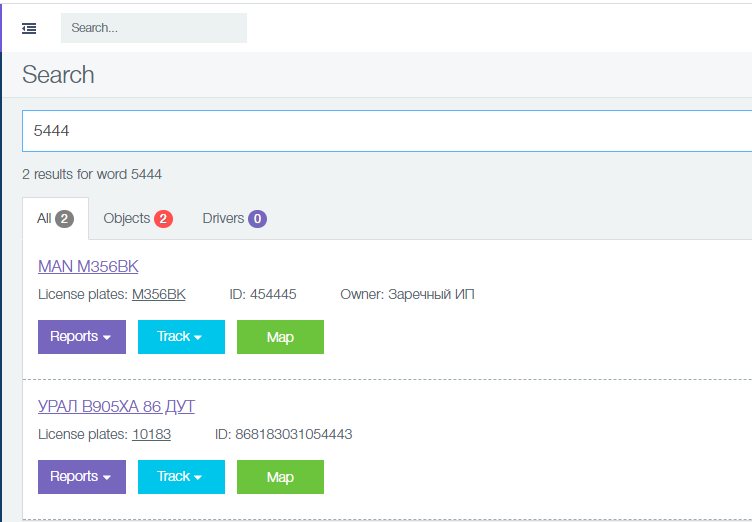
Figure 2 - Search results
The composition of the page with the search results:
- main search field (Figure 3);
 Figure 3 - Main search field
- information on the number of results for the original query (Figure 4);
 Figure 4 - Number of results for the original query
- tabs with elements: All, Objects, Drivers, in which the number of results are indicated;
 Figure 5 - Search elements
- list of search results (Figure 6).
On clicking on the fields Name, License plate, the corresponding unit card will appear. When you select the desired report, you will go to the Reports page, in which the report and unit will already be selected. On clicking the Map button, a transition to the map will take place, on which the corresponding unit will be selected. On clicking the Track button, you will be redirected to a page with a map in track construction mode.
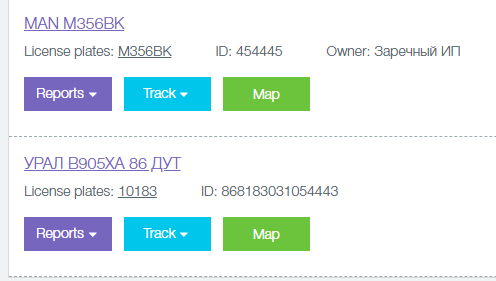
Figure 6 - Display of search result
The search is performed on the following elements:
- fields of the object - Name, License plate, ID;
- name of driver;
- group name.
Author: Анисимов Максим Михайлович - Mon, Dec 30, 2019. This article has been viewed 2899 times.
Online URL: https://kb.skai.online/article/scout-online-search-3322.html
Powered by PHPKB (Knowledge Base Software)